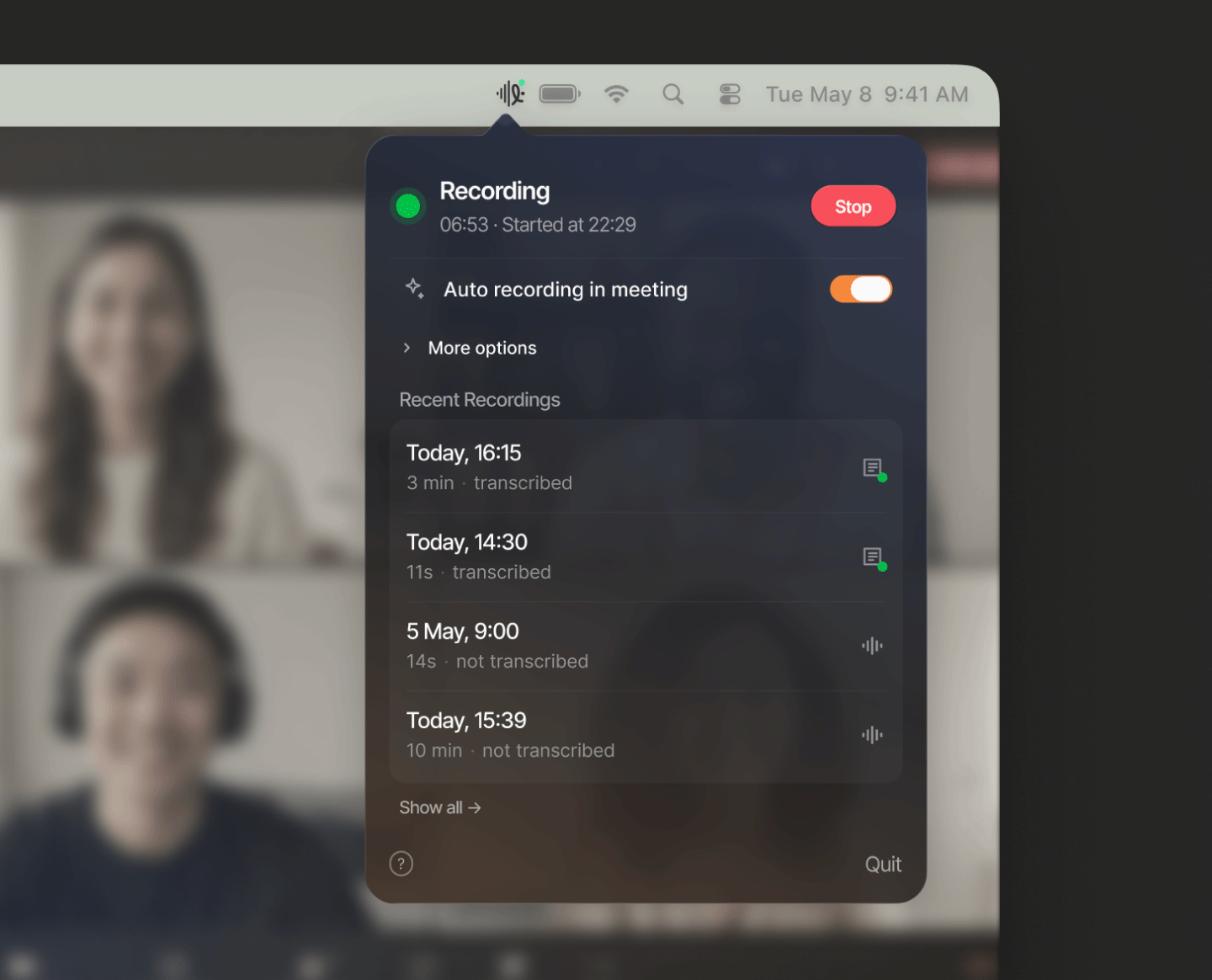
A native Mac menu bar recorder for mic + system audio. No bots, no cloud account, no monthly fee.
Works with Zoom, Google Meet, Teams, Slack, Discord & any VoIP app
Everything you need from a meeting recorder. Nothing you don't.
Captures your mic and the audio from your Mac in one file. No need to record separately or mix later.
Starts recording automatically when meeting apps use the microphone. No manual timer needed.
Creates a plain .txt sidecar next to the .m4a after recording ends. Speaker labels included.
Cleans recordings on-device with no cloud upload. Quieter background, clearer audio from both sides.
Recording and transcription run entirely on your Mac. Nothing is sent to any server, ever.
A tiny menu bar icon. No main window, no Dock clutter, no constant notifications. Unlike Granola, Notion, or Krisp — Levi has no opinion about your workflow.
Three steps. No setup, no dashboard.
Levi watches for microphone activity. The moment a meeting app activates the mic, recording begins automatically — no clicks, no timers.
When mic activity stops, Levi stops recording. The audio is mixed, optionally denoised, and saved as a compact .m4a — all in the background.
A .m4a and a .txt transcript with speaker labels land in your chosen folder. Ready to search, share, or archive.
"Levi is not a meeting bot and not a cloud notes service. It's a quiet macOS app that captures mic and system audio, optionally cleans the recording, and creates a local transcript you can actually use."
Transcription runs entirely on your Mac — audio never leaves your device. Once the transcript is ready, feed it into whichever AI you trust: use Claude, Gemini, ChatGPT, or any other tool to generate summaries, action items, or project context. Levi gives you the raw material; you choose what to do with it.
Start free. Pay once if you need more.
5 hours of automatic recording and transcription. After that, manual recording and noise reduction stay free forever.
Unlimited automatic recording and transcription with speaker labels. No subscription, ever.
No subscription. Pay once, own it forever.
Download Levi Recorder and try it free on your Mac.
Download on the Mac App StoremacOS 14.4 or later · Free with optional one-time Pro upgrade

